
- High-concerned chemical: None
- Plug Type: None
- Size: <0.5m
- Model Number: WS-K003
- Certification: CE
- Origin: Mainland China
- Item Type: Video Converter
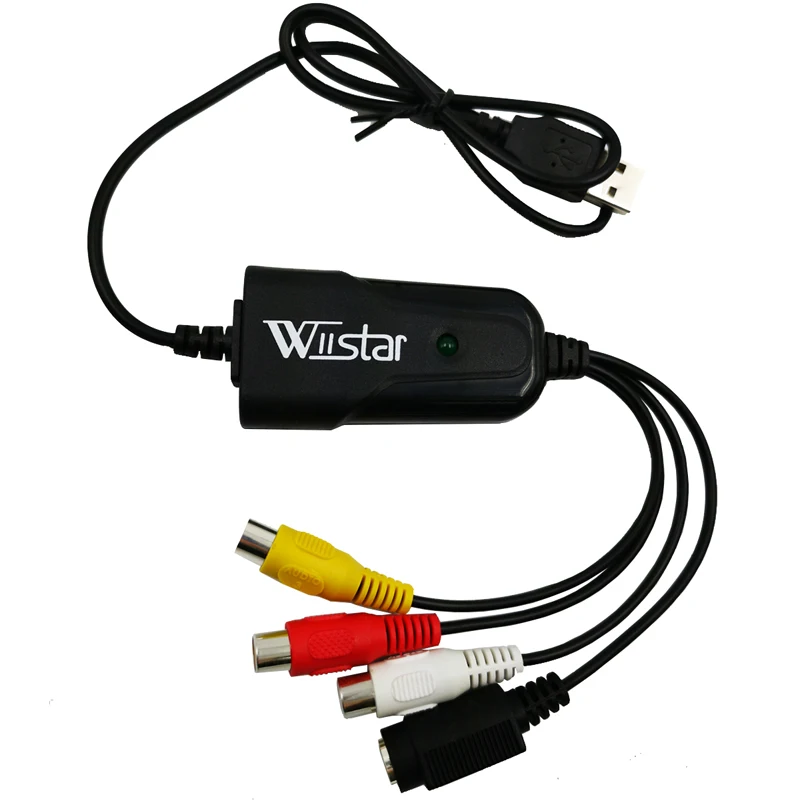
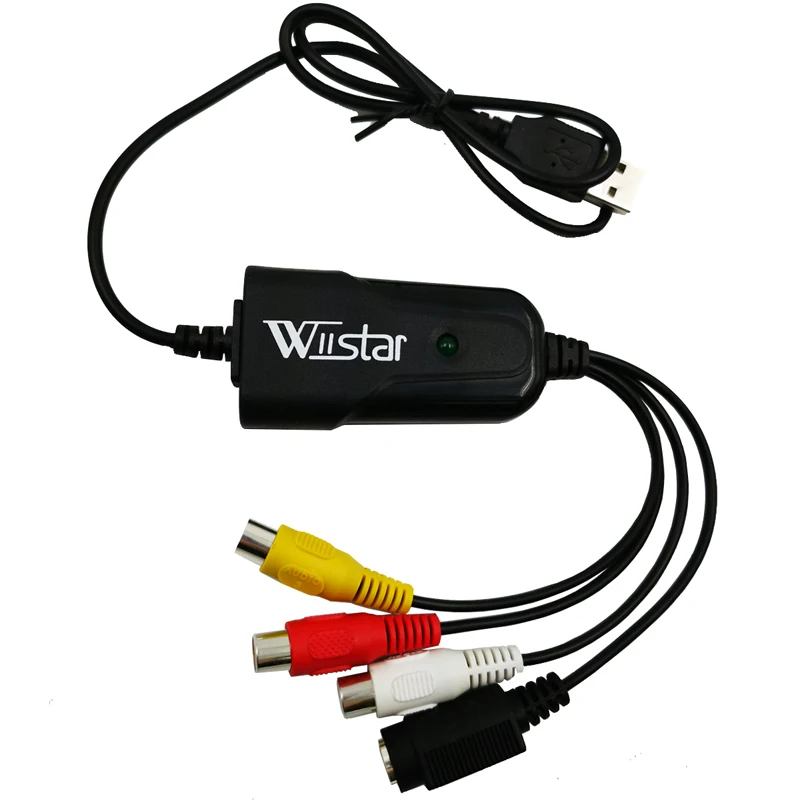
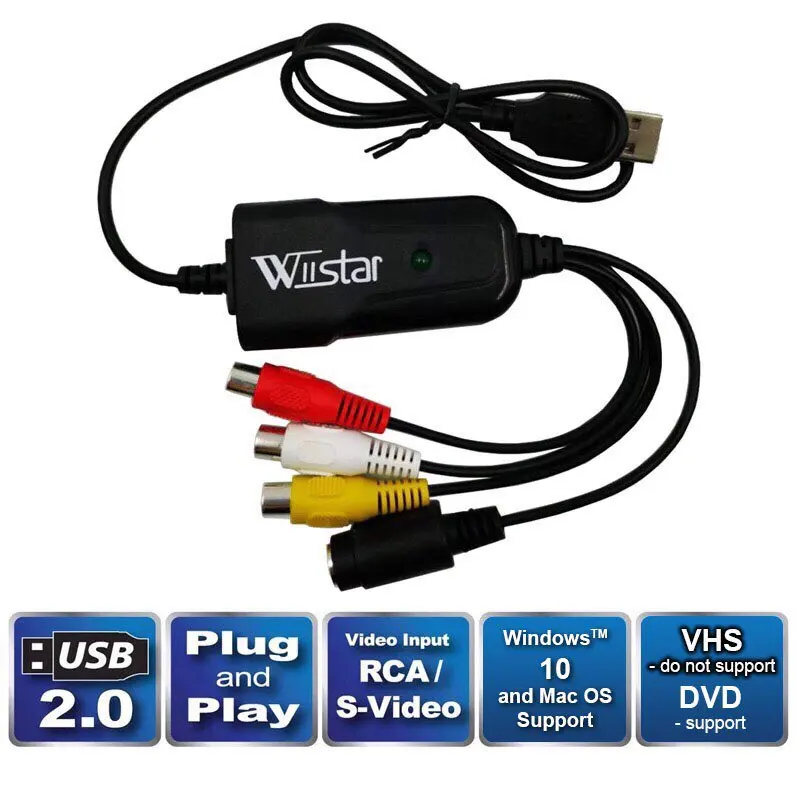
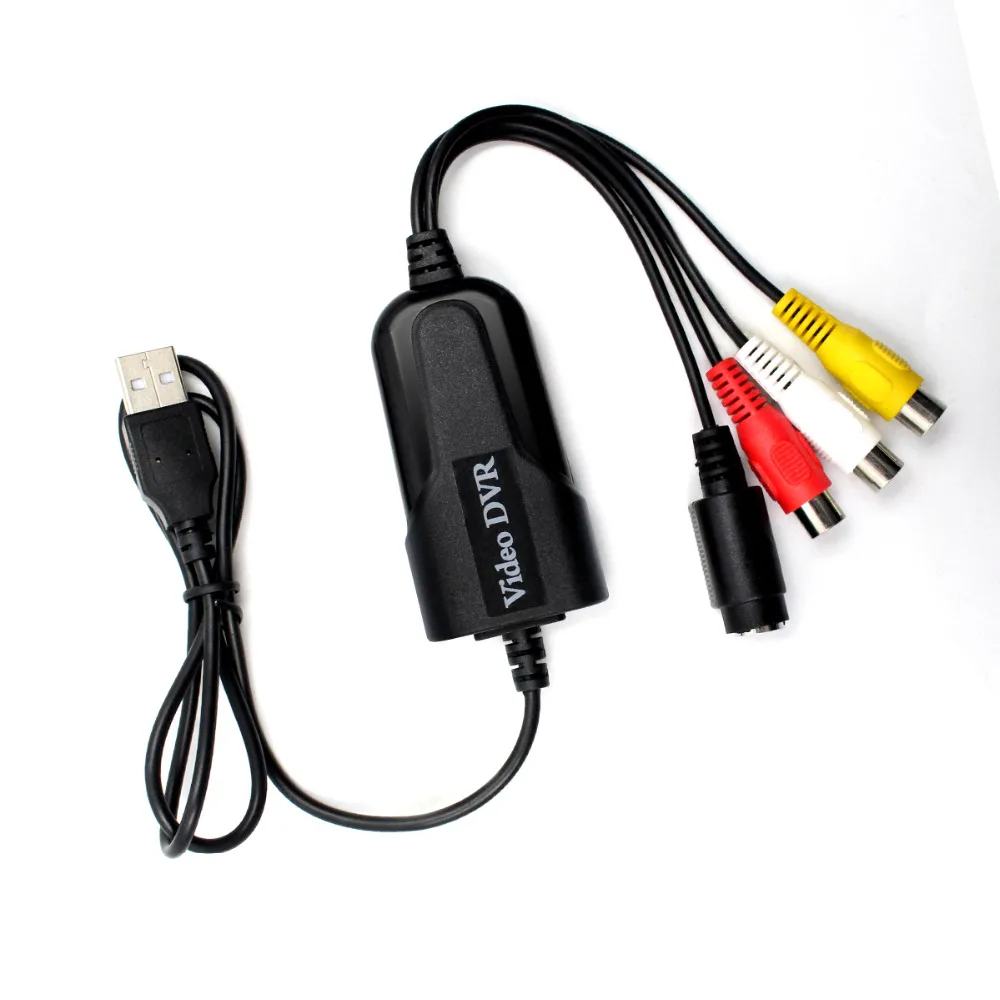
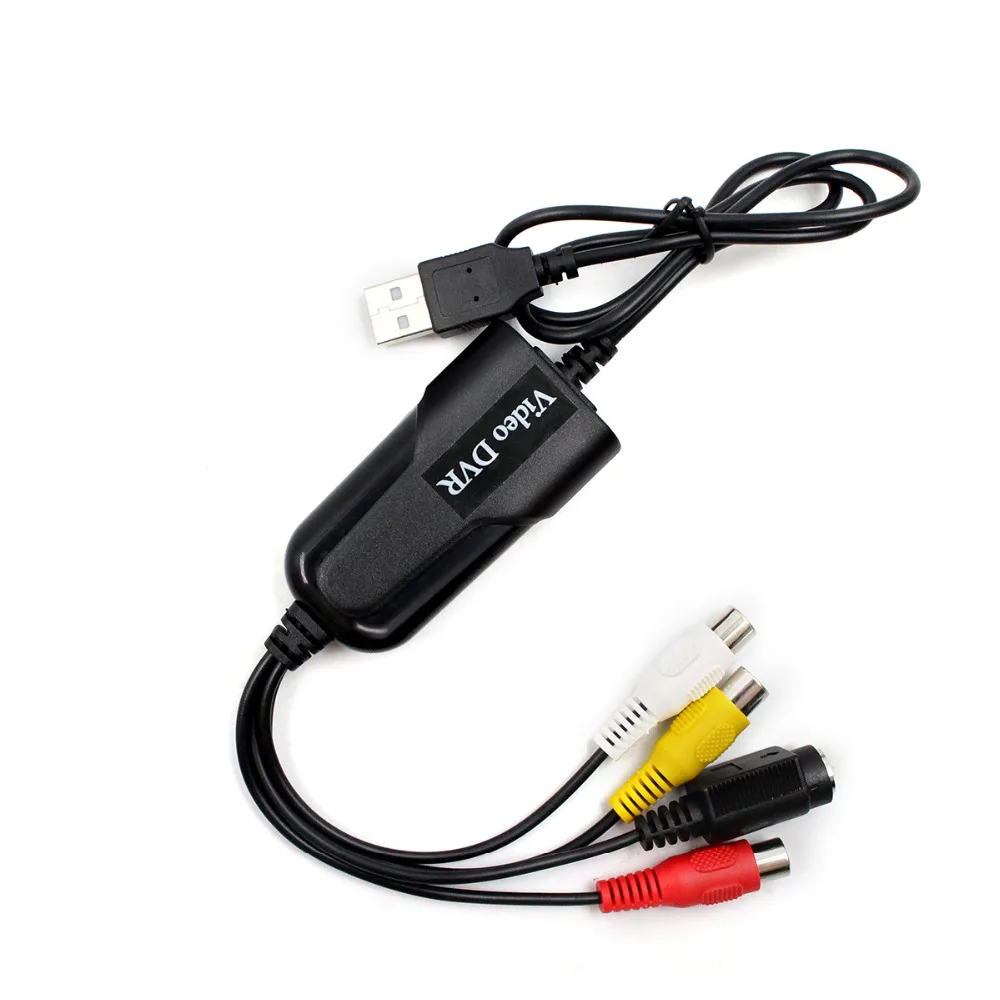
- NAME: USB 2.0 Video Capture Card
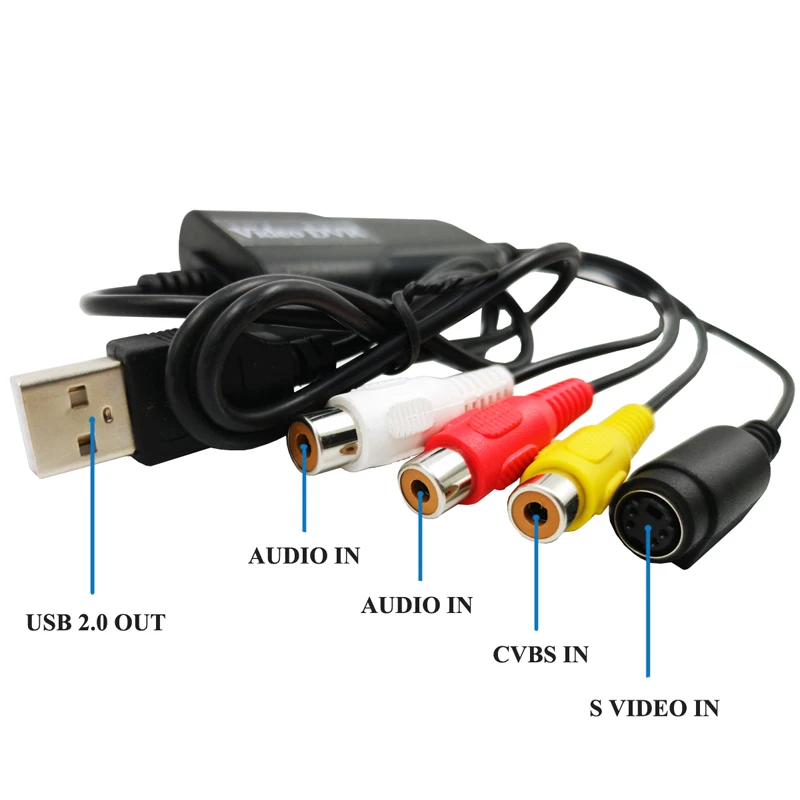
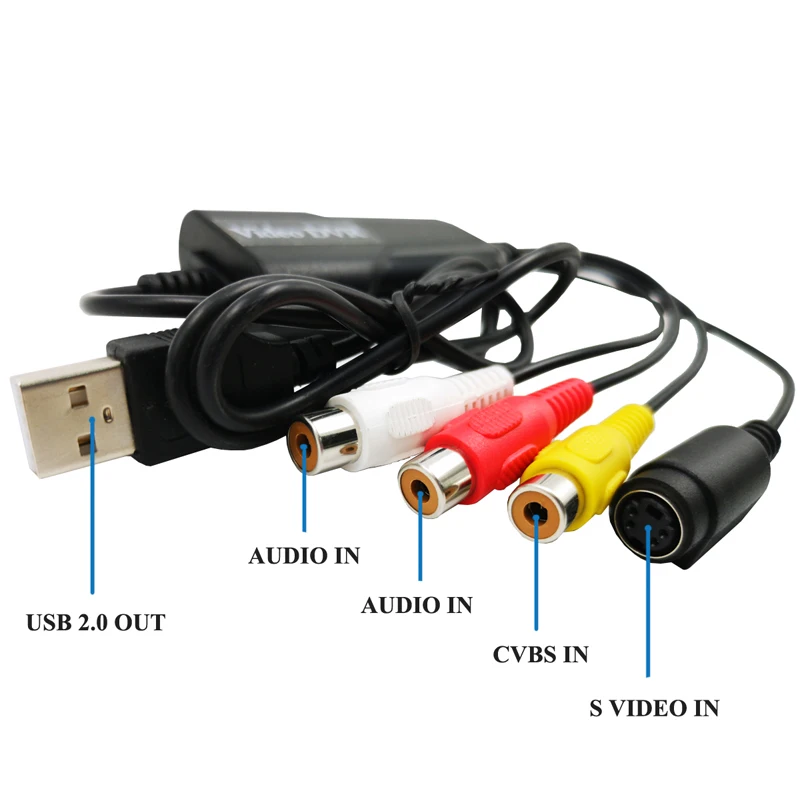
- In: AV; S-video
- Out: USB 2.0
- Application: Multimedia


USB 2.0 Video Capture Card VHS to Digital Converter Capture Compatible with Windows 10/8/7/XP Capture Video Convert VHS for DVD Driver Free
The USB 2.0 composite video capture cable offers an easy-to-use analog video capture solution, which allows you capture video from a composite video source, as well as the accompanying 2-channel RCA audio to your computer .
Notes:HDCP & Analogue Content Protection (ACP) Copyright protection cannot legally be bypassed, and We does not offer any products that do so
Features:
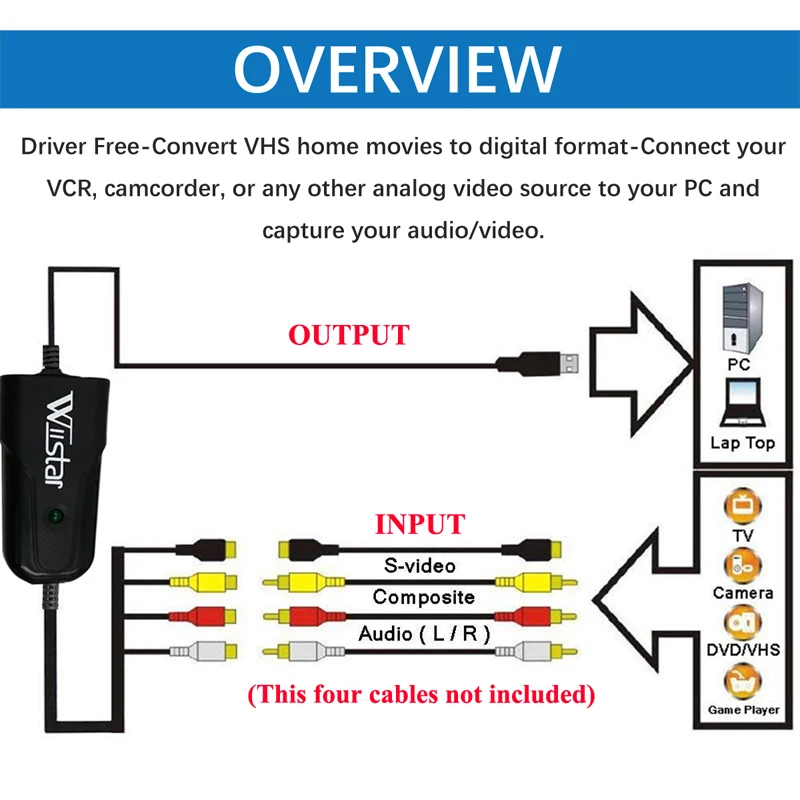
AV/RCA Composite and S-video signal Input: Compatible Device VHS,VHS-C, Hi 8 Cassette, Camcorder, Mini DV
Convert VHS home movies to digital format: connect a VCR, camcorder or any other analog video source to capture audio / video.
Use Potplayer/AMCap Player to capture TV programs with synthesizer output directly on the computer.
Import the recorded video to a computer and make your own editions.
Characteristics:
Driver Free-Easy to Capture from VHS Tapes,Hi8,Mini DV Camcorder to your PC. Works with Windows computers without installing any drivers.
Digital photos – Create photos from the Videos – Compatible with: PAL / NTSC.
Analog video capture capacity of up to 25 fps with a maximum resolution of 640 x 480.
Plug&Play, no power adapter required.
Small, lightweight design offers convenient portability for on-the-go applications.
Note:
Driver Free not means this item plug&play,You still need some professional video capture softwares to capture video, likePotPlayerorAMCap.
Example: Potplayer(windows 7)
Install Potplayer software on the computer.
Double click the Potplayer icon to open the software.
Click on “Potplayer Open Device Settings…” Or use the shortcut “Alt + D” to open the device settings window.
① Select “Analog TV”;
② Select “USB device” under the Video Device Box;
③ Select HDMI under the Input Box;
④ Select suitable for the resolution of the device under the Resolution Box;
⑤ Select “Use audio capture device” under Audio Box;
⑥ Select Audio capture device”AV TO USB2.0″
⑦ Click “Open device” to open the capture interface
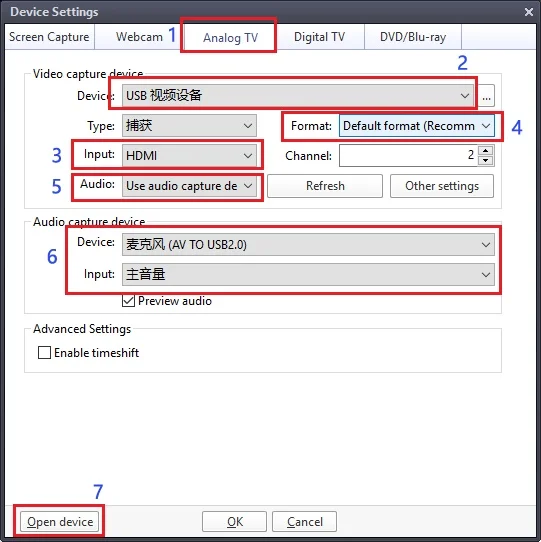
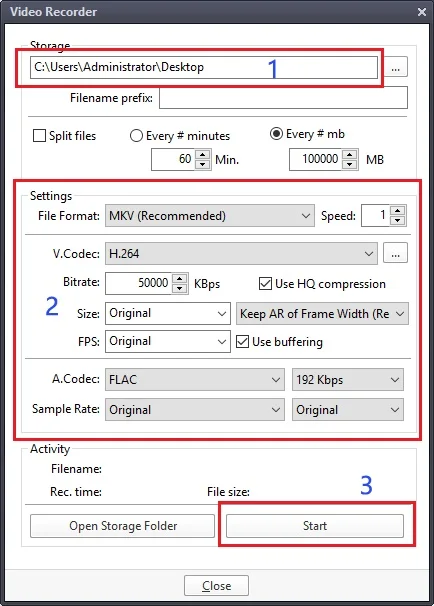
4. Click “Potplayer Video Video recoder” or press the shortcut key “Alt + C” to open the audio window.
① Choose a save location;
② Set up audio and video capture;
③ Turn on audio and video capture, then you can star to capture video and audio.
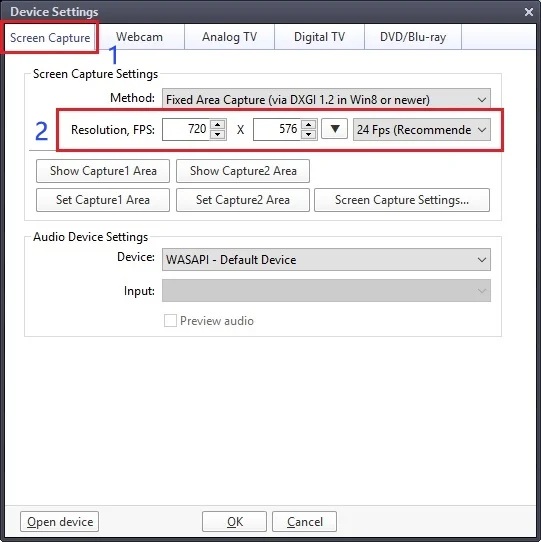
5. If you want to change the resolution of video, Click on “Potplayer Open Device Settings…” Or use the shortcut “Alt + D” to open the device settings window. Select “Screen Capture”,then you can change the resolution.
Package:
USB 2.0 Video Capture*1